Getting Started
Install Obsidian
Download here
Install git
Linux Users:
sudo apt install -y git
Windows Users:
Install from here
Create a GitHub Account
If you don’t have one, signup If you don’t have one, signup here
Add or Verify You Have an SSH Key in Your GitHub
If you do not have one, use the appropriate guide to get it added:
Test Your SSH Key
Clone the git Repository
cd <directory you want to clone repo into>
git clone git@github.com:gage-warren/obsidian-site-contents.git
Open the Repository in Obsidian
Info
If this is your first time opening Obsidian skip to Step 2
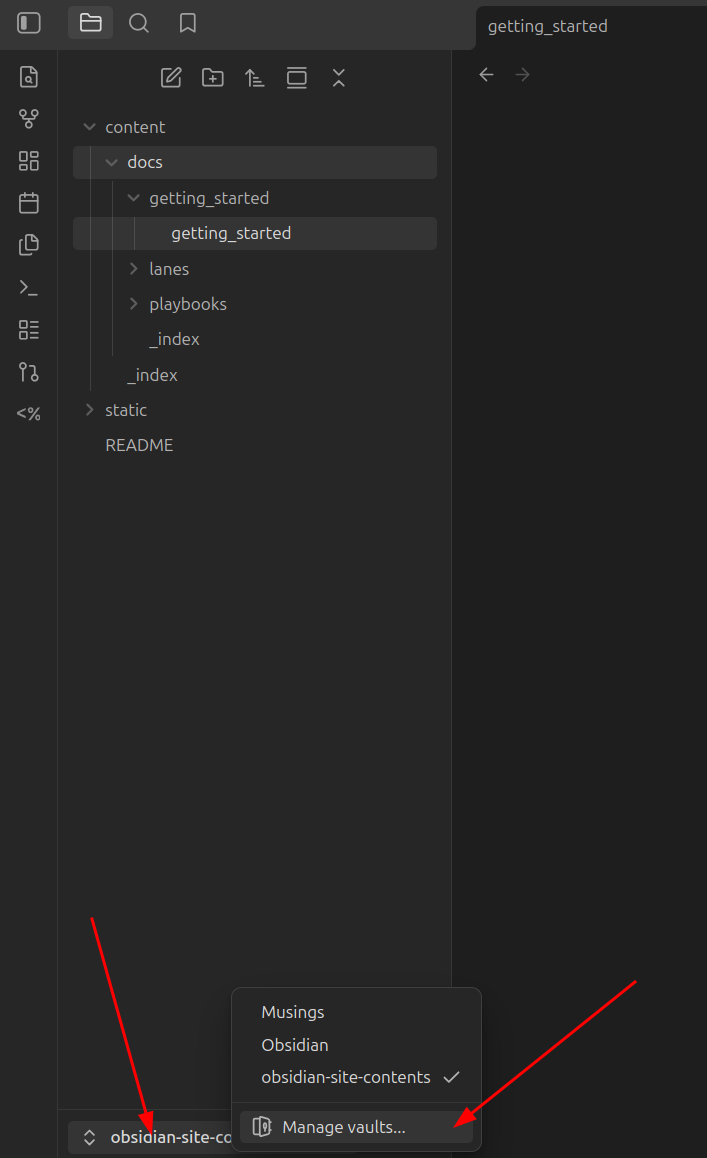
Step 1. Open the Vault Management menu
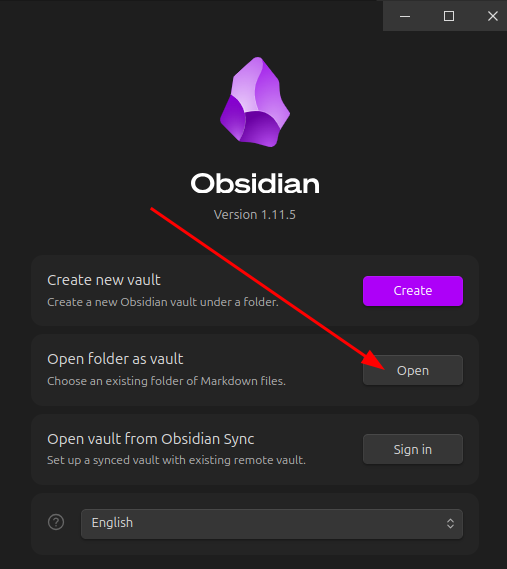
Step 2. Select Open From the “Open folder as vault” Option
Step 3. Select the Directory of the Cloned Repository
Verify or Install Plugins
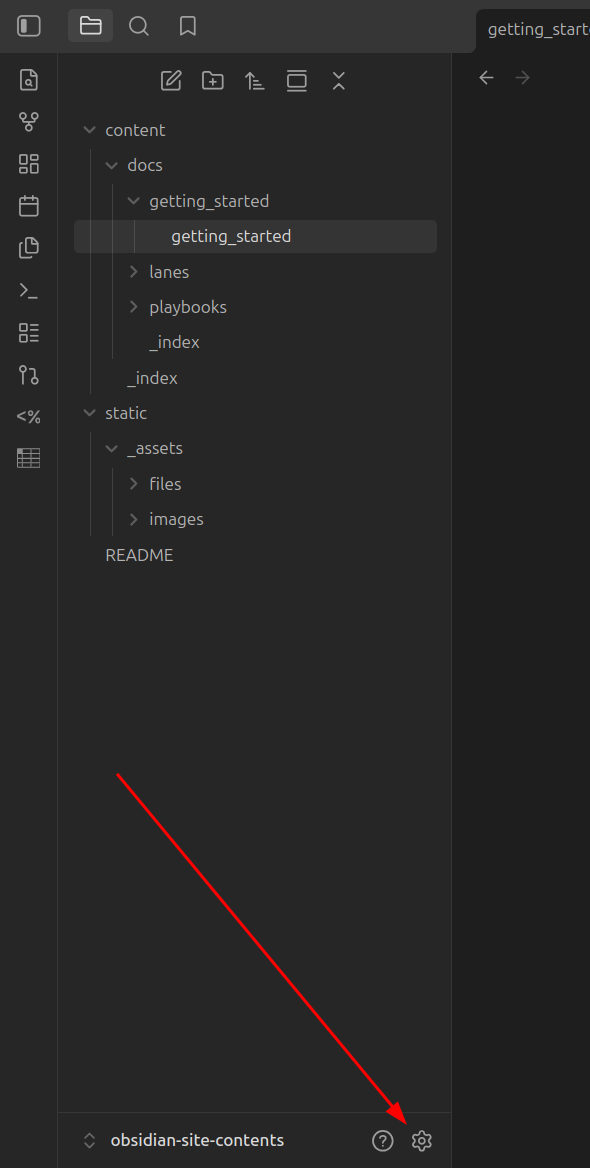
Step 1. Open the Obsidian Settings Menu
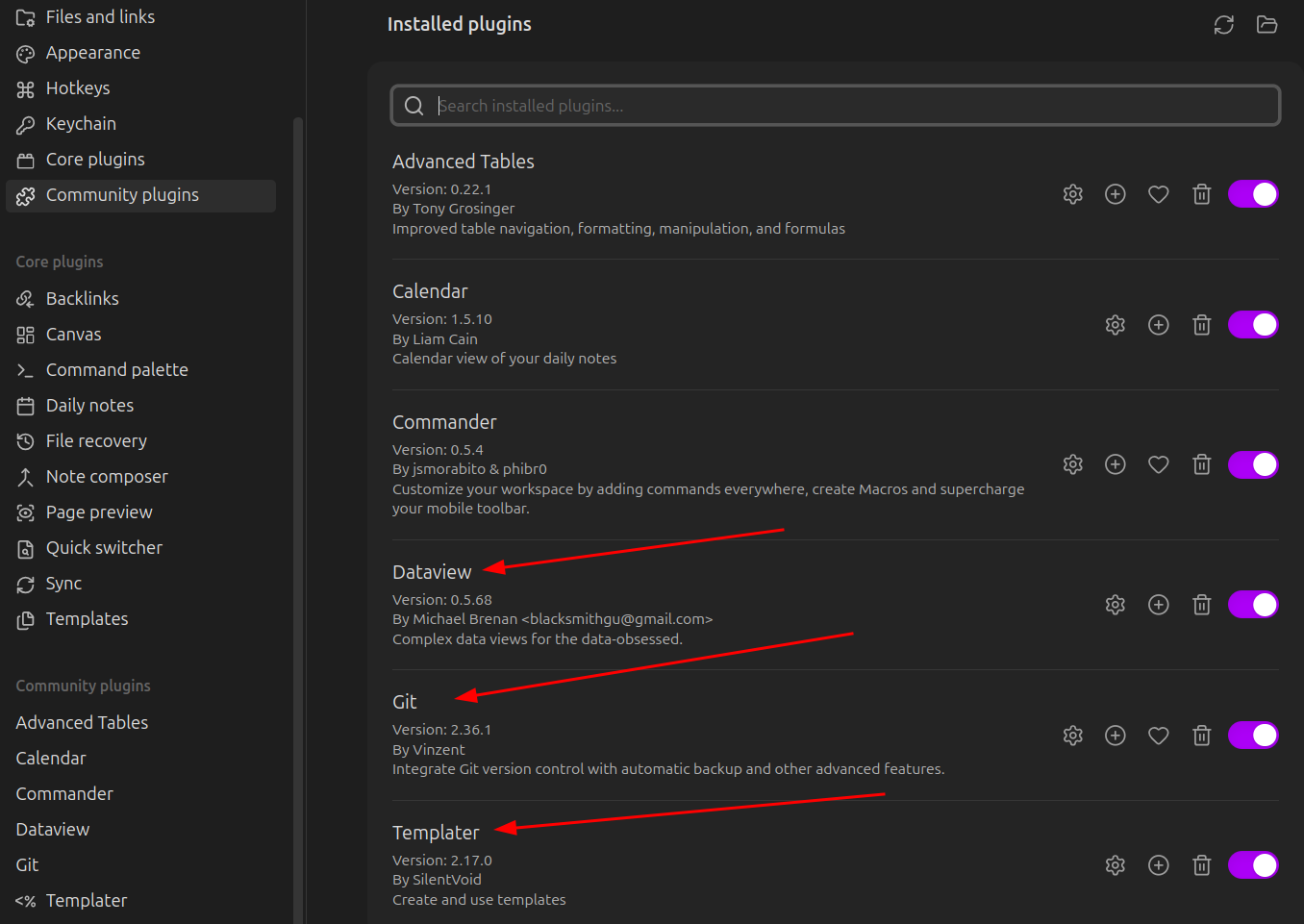
Step 2. Verify that Git, Templater, and Dataview Community Plugins are Installed